


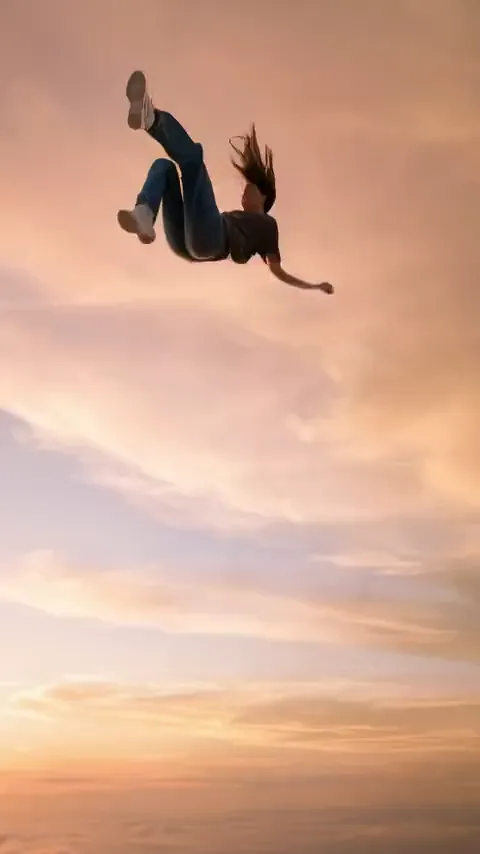
Outfit of the day
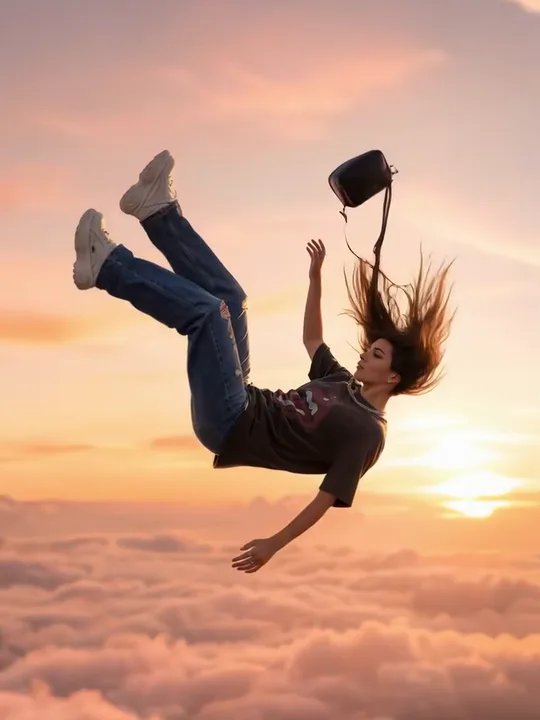
A head-to-toe photo in a new outfit, so the close-ups catch the shoes, the bag and the fabric moving in the wind.
Caption: Fit check from somewhere above the clouds.
Make a Skyfall AI video from one photo of you or your pet: a slow fall, face up, through a rose-pink sunset above the clouds, followed down from a speck in the sky.
PNG / JPG / WebP · up to 10 MB · at least 512px on the short side
0/1 photos
One adult or one pet, alone in the photo. Full body or knees-up works best, face clear, in the outfit, shoes and bag you want in the close-ups.
Video settings
No prompt needed. Upload yourself, an adult who agreed to be featured or your own pet; celebrity photos and film stills aren't allowed.
The Skyfall AI trend, also called the falling from the sky AI trend or sky falling AI, is an AI video in which one person or pet falls slowly on their back high above a sea of clouds at a rose-pink sunset, while the camera follows them down from a speck in the sky to close-ups of the outfit and face.
It is a look, not a punchline: time slows down, the face stays calm with eyes closed, hair and clothes lift in the wind, and the camera lingers on shoes, bag and outfit. That is why people post it as an outfit showcase or a dreamy profile edit rather than a joke.
It is not the Roblox skyfall trend, not an edit of the Skyfall film theme song, not the AI company called Skyfall AI and not the separate car falling from the sky trend.
AI fashion shorts of people drifting down through a pink sunset sky start circulating on Instagram.
The earliest dated tutorial goes up on YouTube, calling it the falling from the sky AI trend already going around Instagram.
The most-watched tutorial posts on TikTok with prompts and tips for outfit close-ups, and passes 2 million views.
Within days, ready-made app templates and more tutorials in English and Hindi spread the same shot list: the follow from far above, then close-ups.
New Skyfall AI tutorials and template pages are still going up in October, nine months after the first wave.
Dates and view counts from Instagram and TikTok posts and YouTube tutorials, plus template sites' publish dates, checked in October 2026.
The 6.6-second example at the top of this page, cut into its three shots.
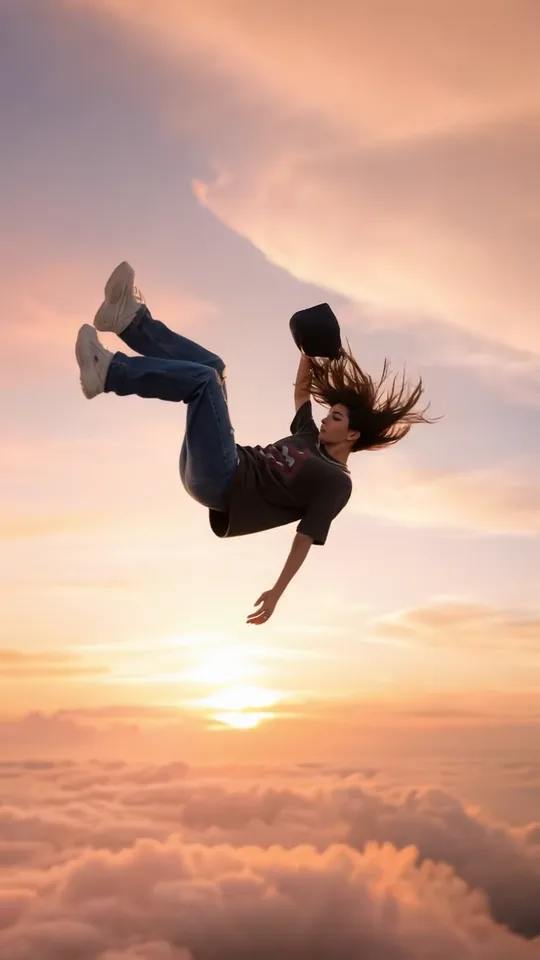 10:00–0:04
The shot opens on empty rose-pink sky. A small figure drops in at the top, on their back with arms and legs loose, and the camera follows until the whole body fills the frame, with the low sun and a sea of clouds below.
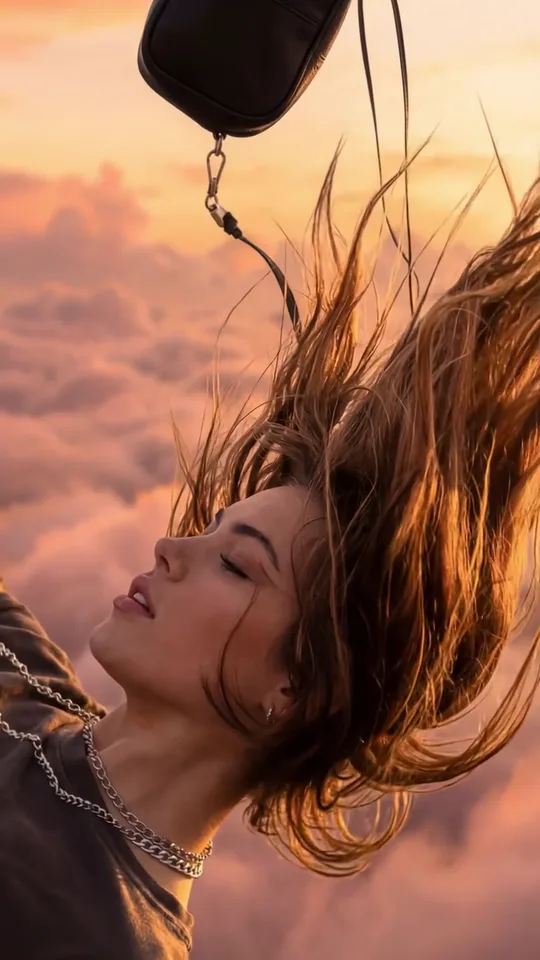 20:04–0:05
A cut to the face: eyes closed, expression calm, hair blown straight up by the wind and the bag strap swinging above.
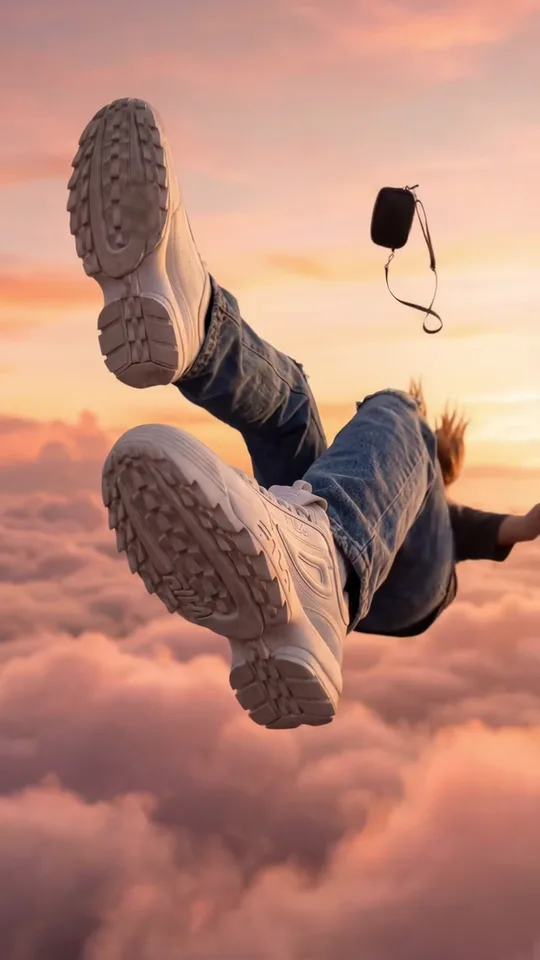 30:05–0:06
A low angle fills the frame with chunky sneakers and denim while the bag tumbles away in the distance: the shot people use to show off what they wear.
The template asks the model for these three kinds of shots, but the model plans their order, length and pace itself, so cut points and shot counts vary from video to video.
Pick the photo for what you want to show off, then post the clip with a line that fits.
A head-to-toe photo in a new outfit, so the close-ups catch the shoes, the bag and the fabric moving in the wind.
Caption: Fit check from somewhere above the clouds.
A clear, flattering photo turned into a slow golden-hour clip for a profile video, a Reel or a story.
Caption: Did it hurt when you fell from heaven?
A cat or dog drifting down on its back through the sunset, as unbothered as it is on the sofa.
Caption: My dog, unbothered at cloud height.
Dressed up for a birthday, a wedding or a holiday? That photo becomes a sunset fall that matches the day.
Caption: Birthday mood: floating.
Your photoPerson or pet
This is the one who falls. Their face, hair, outfit, shoes and bag carry into every shot, from the small figure high in the sky to the close-ups; the sky, camera moves and sound come with the template.
Works well
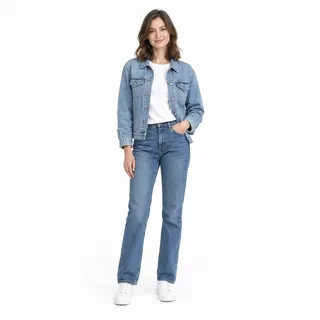 One adult, head to shoes or knees up
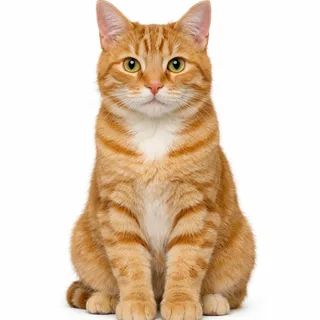 A cat or dog with its whole body in frame
Avoid
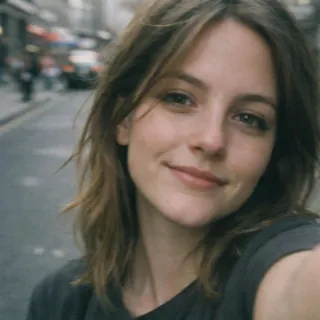 A close selfie that hides the outfit
 Two people, a group or two pets
 Heavy filters or a dim photo
Add you or your pet
Add your photo to the Person or pet slot. Change the length, aspect ratio or resolution if you like, or keep the vertical defaults.
Generate the fall
The button shows the exact price before you start; the finished video plays in the preview when it's ready.
Post it with a caption
Download the MP4 and post it as a Reel, TikTok or Short with your caption.
Every template works the same way: add your photos, press Generate and get a shareable video without writing a prompt.
View all effectsFAQ
No, each Skyfall AI video costs credits. The price depends on the length and resolution you pick, and the Generate button shows the exact amount before you start. New accounts get 10 credits at sign-up, and everything runs in the browser, with no app to install.
No. The template already describes the sky, the fall, the shots and the sound, so this page has no prompt box. If you want to write your own in a general video generator, a short starting point is: “A woman in jeans and white sneakers falls slowly on her back above pink clouds at sunset; the camera follows her down from far above, then cuts to her shoes and her calm face, slow motion.”
The Instagram wave mostly used a slowed version of “vácuo” by Niko. This template doesn't add it: the model makes its own wind and calm score with no lyrics, so add that song or another trending sound in TikTok or Instagram when you post.
Yes. Your cat or dog drifts down on its back with its paws spread, keeping its own coat, markings and shape, and the close-ups go to its fur and ears instead of an outfit.
No. Skyfall AI takes one photo with one person or one pet. For a couple or a pair of friends, make a video each and post them side by side.
No. Photos of children aren't supported for this falling effect. Use a photo of an adult or a pet.
Your photo is a character reference: the model draws each shot anew and carries over your face, hair and outfit, rather than animating the picture itself. In the wide shot you're a small figure, so the likeness shows in the close-ups. If a result drifts, generate again, or try a sharper, brighter photo from the checklist above.
Mostly. The template asks for slow, calm motion all the way down, with hair and clothes drifting in the wind, and the model sets the exact pace. It doesn't jump from full speed to a sudden slow-down the way hand-edited versions do; a longer length gives the slow shots more room.
No. The fall is slow and quiet, the face stays relaxed, and the template keeps out ground, landings, parachutes and impacts. It reads more like floating than falling.
No. The rose-pink sunset, the clouds and the camera moves are fixed in the template. To change the outfit, upload a photo in different clothes.
Skyfall AI
One photo of you or your pet in; a slow sunset fall above the clouds out, ready to post.