Ceiling Fan Outfit Change AI

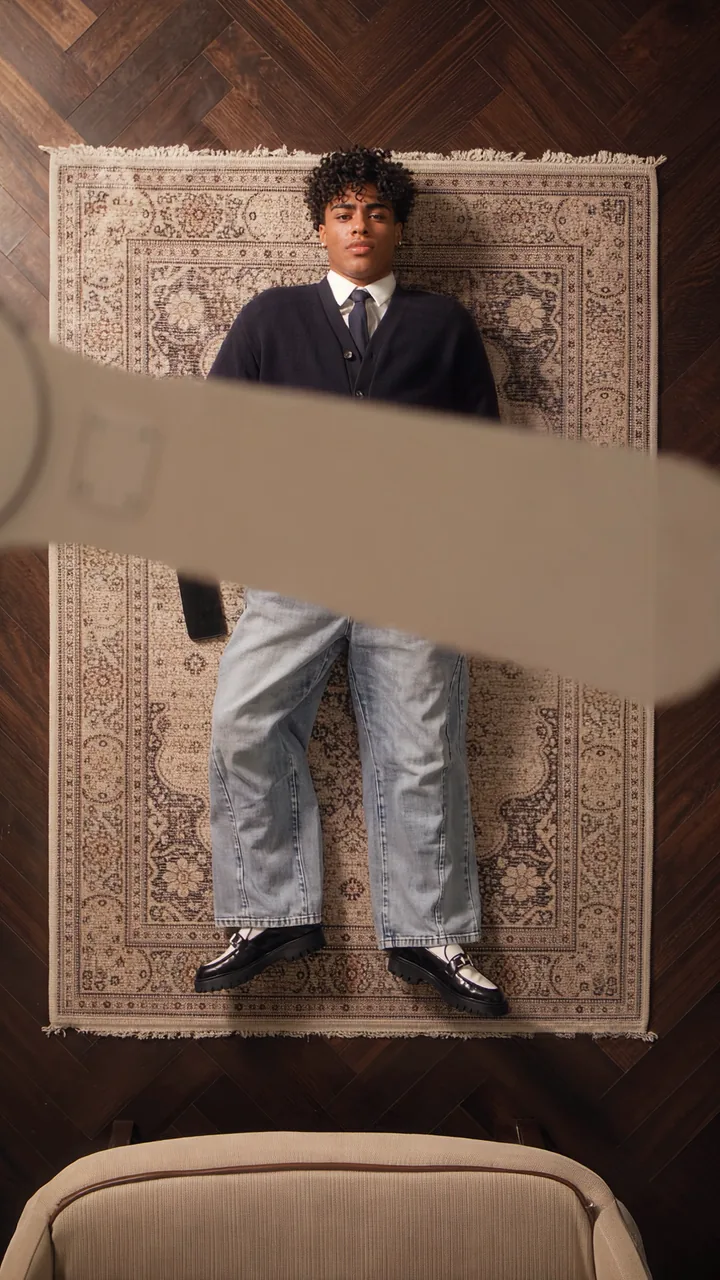
Upload one photo and get the ceiling fan outfit change: you lie under a spinning fan, and every blade that sweeps the lens leaves you in a new outfit.

  • One click · no prompt
  • One photo → four looks, one take
  • No ladder, no editing
Example · Fan outfit change

PNG / JPG / WebP · up to 10 MB · at least 512px on the short side

0/1 photos

One person, face clear and uncovered, full body or knees-up. The outfit you're wearing becomes your first look; every blade pass after that styles a new one for you.

Video settings

No prompt needed. Only upload photos of yourself or people who agreed to be featured; celebrity photos and film stills aren't allowed.

How does one fan blade hide each outfit change?

The ceiling fan transition is one overhead shot. A fan turns between the lens and a person lying on a rug, and each blade that crosses the body leaves a new outfit behind it. The reference take runs 15 seconds with four looks in a row.

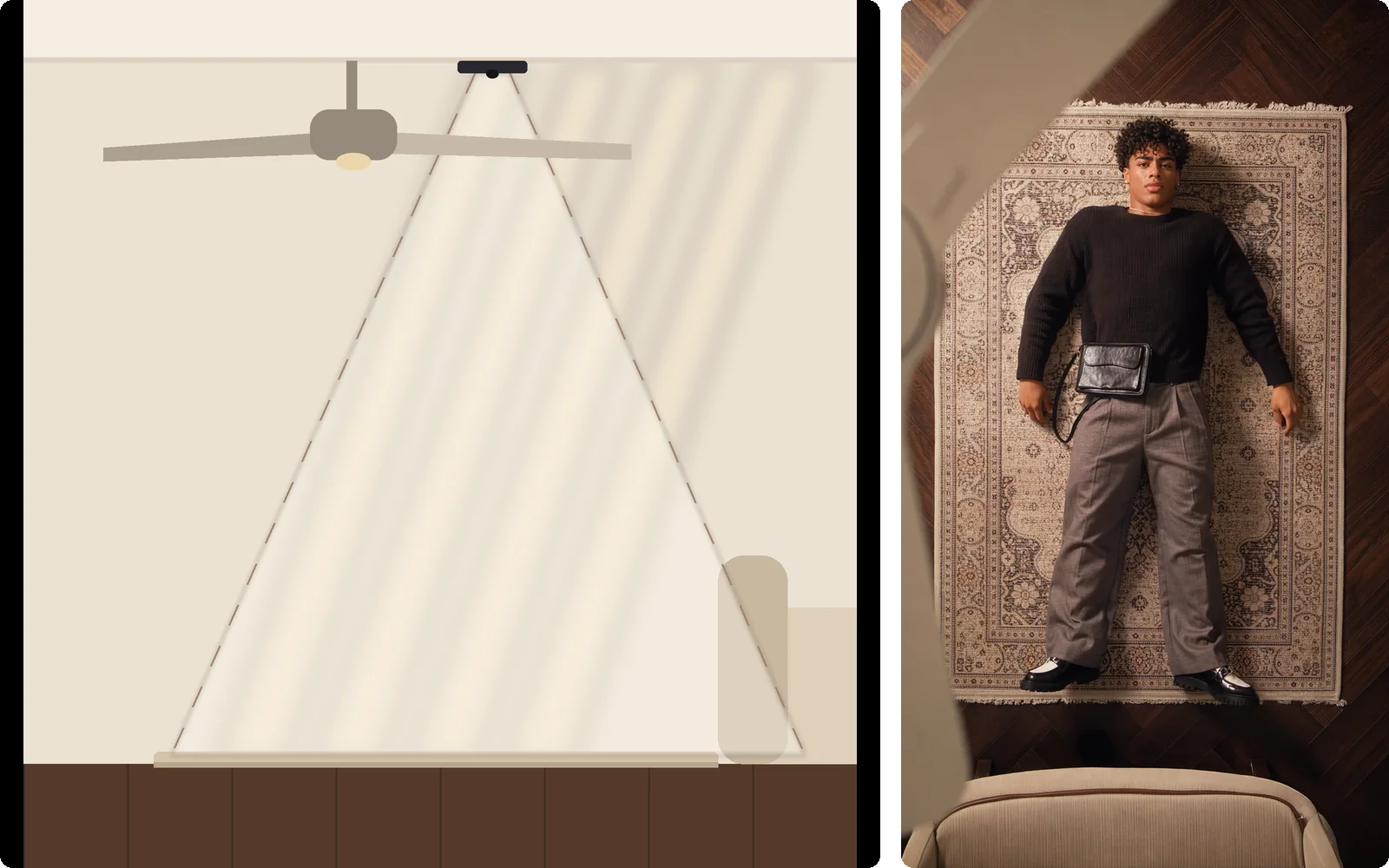
Left: side-view diagram of a room with a phone fixed to the ceiling beside a fan, its view cone passing a blade on the way down to the rug. Right: what that phone sees, a pale fan blade in the corner and a man lying on a beige rug below

The setup

The camera sits on the ceiling

The phone points straight down from beside the fan, so the blades pass right in front of the lens: big, soft and out of focus, while the person on the rug stays sharp. Filming it for real means a ladder and a phone taped to the ceiling; here the room, the angle and the fan come with the template.
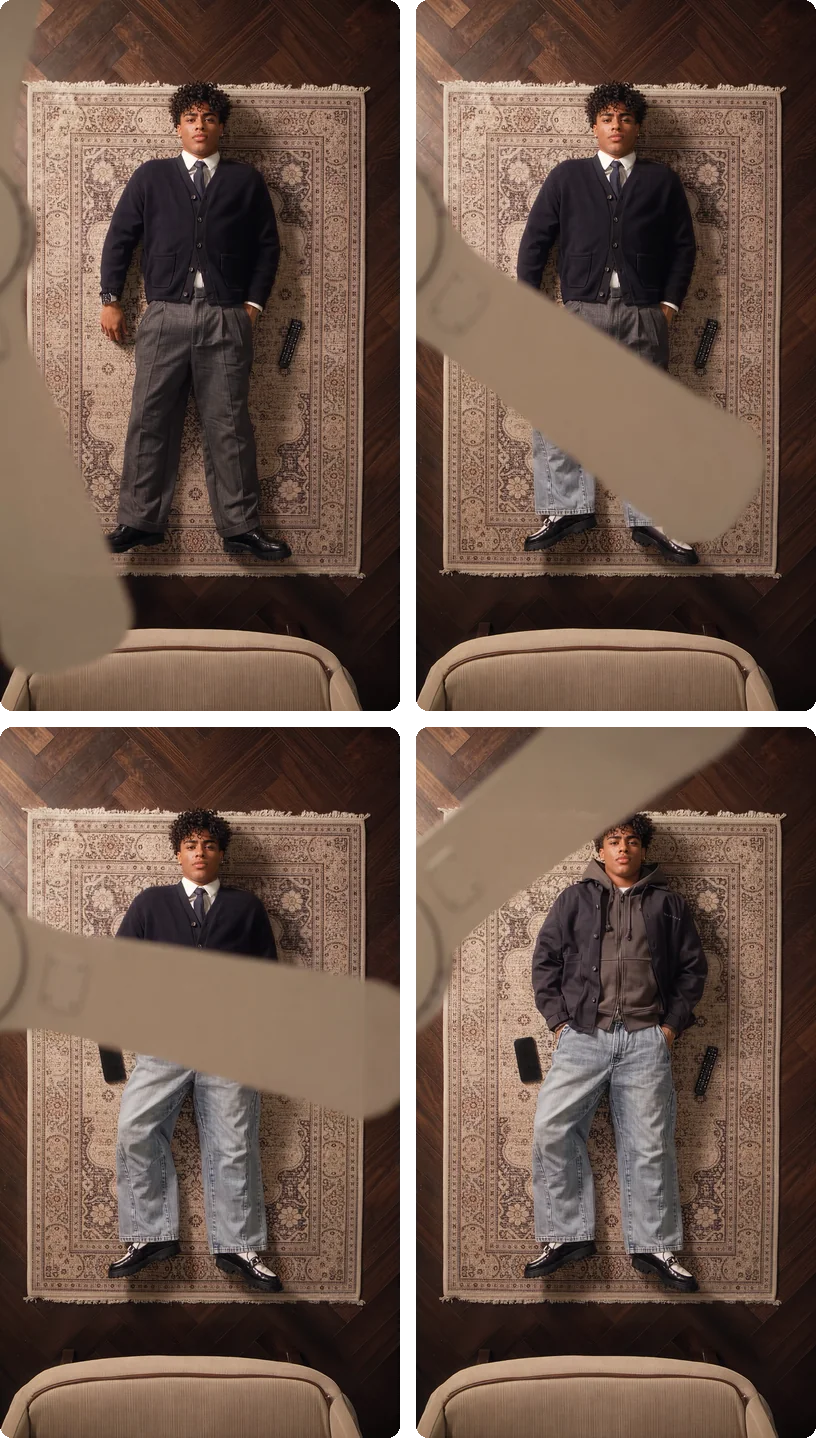
Four frames of one blade pass in the reference take: a navy cardigan with a tie and grey trousers; a blade sweeping up over the legs with light jeans showing below it; the cardigan still on top while the legs are already in jeans; then a hooded jacket with jeans

The transition

The blade is the cut

A blade sweeps across the body like a moving split line: on one side the next outfit is already on, on the other the old one is still there. Old outfit, blade covering, half and half, new outfit: the change happens out of sight, which is why people replay it looking for the frame where it switched.

The rhythm

A new pose with every look

When a blade clears, the person is in a new outfit and often a new pose: hands in pockets, arms by the sides, one knee bent. Same person, same spot on the rug, so the looks read like a lineup instead of separate photos.

The take

Four looks in one take

There's no cut and no reset. The camera never moves, the fan keeps turning, and each look holds for about 4 seconds before the next blade arrives.

Real fan, CapCut or AI: how do you make the ceiling fan trend?

Every ceiling fan video gets asked “real or AI?”, and the trend's most-watched post is a joke about exactly that (see the timeline below). Here's what each route takes.

  • Under a real fan

    Filmed
    You need
    A ceiling fan, a ladder, four outfits
    Camera
    Phone fixed to the ceiling
    The cut
    Masked on the blade in an editor
    Outfits
    Your own clothes

    The real thing, and the only way to pick every outfit yourself. Plan on an afternoon of retakes, and keep the phone well clear of the blades.

  • CapCut fan template

    Edited
    You need
    Four overhead clips of yourself
    Camera
    You still film every look
    The cut
    The template wipes on its own blade
    Outfits
    Your own clothes

    Quicker editing, same filming: four outfits, four takes, and the template's blade won't match your room.

  • AI, from one photo

    No filming
    You need
    One photo of one person
    Camera
    Room, fan and angle come built in
    The cut
    Blade passes come from the reference
    Outfits
    Styled for you at each blade

    The only route where the room, the fan and the blade timing come ready-made.

Which outfits does the ceiling fan give you?

Your photo sets who you are and your first look: face, hair, skin tone, build and the clothes you're wearing. After that, every blade pass reveals a new head-to-toe outfit styled for you and the room. First the reference take's own four looks, then three examples of the effect, from everyday wear to traditional dress; what you get depends on your photo.

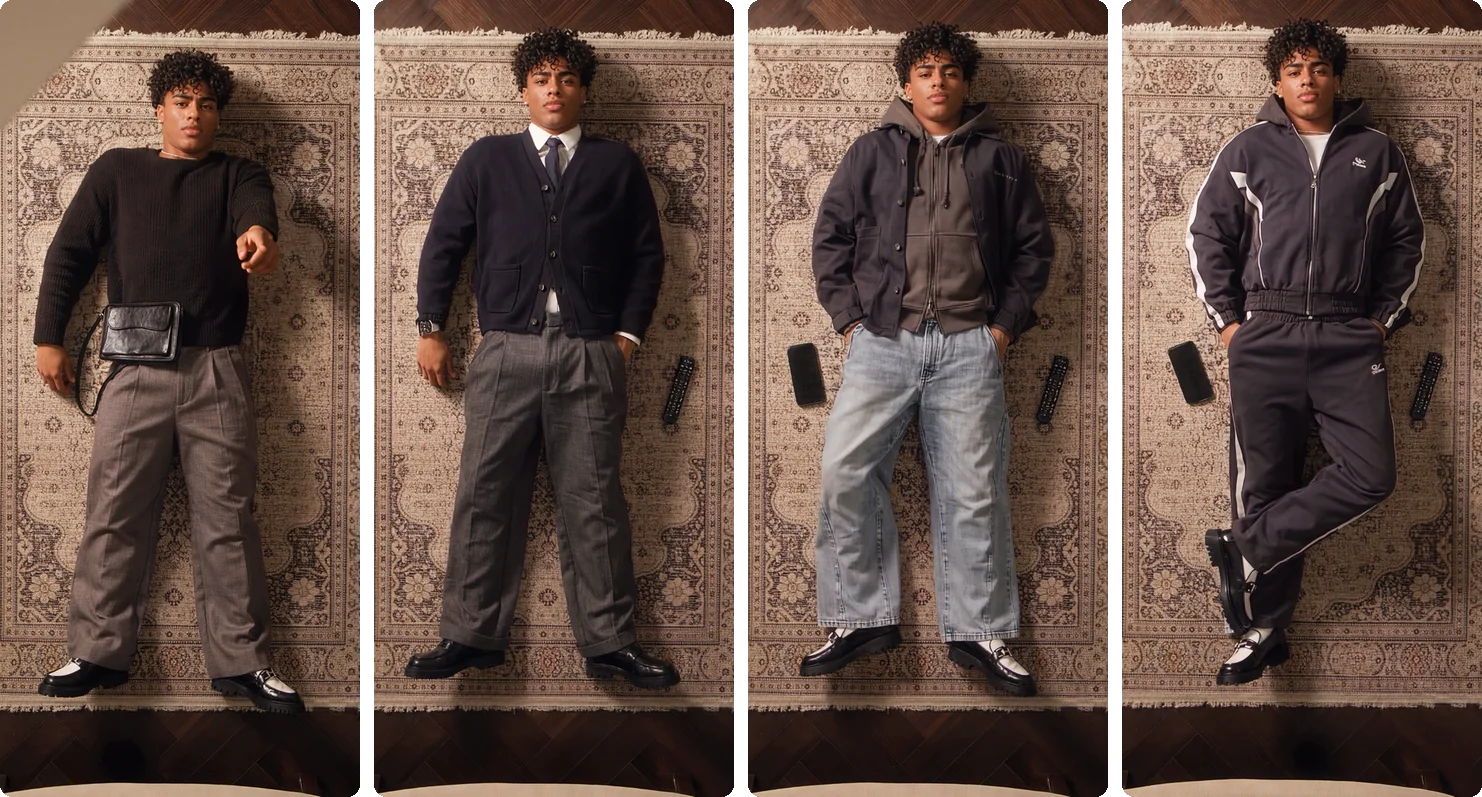
The four outfits of the reference take side by side, worn by a man lying on a beige rug: black sweater with grey trousers, navy cardigan with a tie, hooded jacket with light jeans, dark tracksuit

The reference take

His four looks set the rhythm, not your clothes

The strip is the man in the reference take: a black sweater, a navy cardigan with a tie, a hooded jacket with jeans and a tracksuit. Your video doesn't copy them; it keeps the rhythm of a complete new outfit after every blade.

Everyday rotation

From a cream tank top to a burgundy tracksuit

She starts in a cream tank top and trousers. The blades bring a cream bomber jacket with olive cargo pants, a knit sweater with tan trousers, then a burgundy tracksuit, each complete down to the shoes, in the same room as the reference take.

Traditional dress

Kimono, then hanbok

A white blouse and black skirt turn into an ivory kimono, then a red and gold kimono with cranes, then a hanbok with a lilac jacket and a full red skirt. Warm window light falls across a red rug the whole time.

Traditional dress

Kimono, then hanfu

A white blouse and black skirt become a lilac kimono, an ivory kimono with red lining, then a hanfu-style white top with a red pleated skirt. Face and hair stay the same through every change.

How do you write a ceiling fan transition prompt?

To make the trend in a general video tool, prompt with a reference video: the clip gives the real motion and blade timing, your photo gives the person. A text-only prompt also works, but poses tend to freeze and the blade timing is a guess.

Example prompt with a reference video
Reference: use video 1 only for the motion, the pose changes and the timing of the fan blades, not for the person's face, hair or clothes.
Person: the person in image 1, lying on their back on the rug and looking up, with the same face and hair throughout.
Looks: start in the clothes from image 1. At each blade pass, switch to a new head-to-toe outfit that suits them and the room, with a relaxed new pose and nothing left of the previous outfit.
Blade transition: each change happens while a blade sweeps close to the lens, large and motion-blurred; no dissolve, glow or flash.
Camera: one continuous overhead shot from a fixed camera; the person stays fully dressed; about four looks in 15 seconds.
Sound: fan whir and fabric rustle, no music.

Keep the prompt in English, the language models follow best. To theme the outfits, swap the Looks line for one of the lines below.

Swap in another Looks line

  • Traditional dress, like the kimono examples

    Looks: start in the clothes from image 1. At each blade pass, switch to a different traditional outfit, such as a kimono, a hanbok or hanfu, worn correctly and in full.

  • Your own outfit images, in order

    Looks: start in the clothes from image 1, then at each blade pass switch to the outfit in image 2, then image 3, then image 4, matching each one exactly.

Reference tags differ between tools: some use tags such as @Image1 and @Video1, while MiniMax H3 in our AI Video Generator reads plain words, image 1 and video 1, numbered in the order the files are listed. It accepts up to 9 reference images and 3 reference videos.

Write your own in the AI Video Generator's reference mode

Or skip the prompt: add your photo above and this template does the rest.

Use this template

How did the ceiling fan transition trend take off on TikTok?

No single creator owns it: a filmed reel, then CapCut tutorials and templates, then an AI wave on TikTok from late September 2026.

WhenWhat happenedSource
2025A filmed overhead outfit reelfour looks, the blade as the wipeInstagram @ruamabreakdown dated Aug 22, 2025
Sep 23, 2025First CapCut tutorialcredits the @ruama reelYouTube @miladramezaniofficial
Aug 26, 2026A free CapCut fan templatestill needs your own clipsTikTok @fingertips1246
Sep 24, 2026The AI version breaks out“let the ceiling fan do the styling”TikTok @shabastudio201.38M plays by Oct 12, 2026
Sep 28, 2026Named the week's new AI trendtutorials follow within daysThe Tab
Oct 3, 2026The real-or-AI parody“…didn't realise people were using AI…”TikTok @amyrebeccaowen14.7M plays by Oct 12, 2026

What photo works best under the fan?

The camera sees all of you, from above, lying down. The model rebuilds your whole body from one photo, so give it as much of you as you can.

Upload this

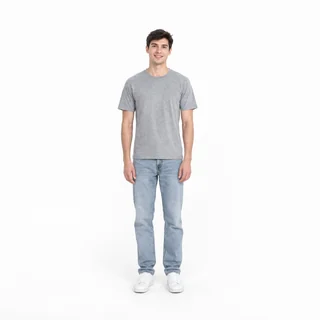
  1. Full-length photo of one person standing against a plain white background

    Full body or knees-up

    Standing is fine; the template lays you on the rug. A photo cut off at the chest leaves your legs and shoes to guesswork.

  2. Head-and-shoulders photo of a person facing the camera in soft, even light against white

    Face clear and uncovered

    Look at the camera in even light. From the ceiling your face is small in the frame, so start with a sharp one.

  3. Start in clothes you like

    The outfit in your photo becomes your first look, so pick one you're happy to show. Fitted clothes also show your build, which stays the same in every look.

Skip these

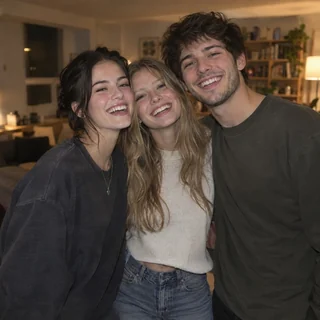
  1. Casual photo of three friends together in front of a blurred background

    Photos with other people in them

    The template has one person under the fan. Crop friends out before you upload.

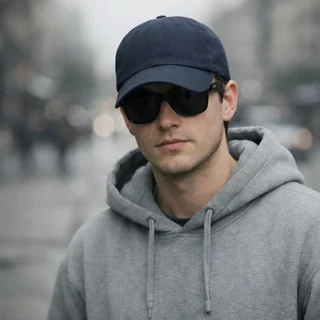
  2. Photo of a person in a cap and sunglasses in front of a blurred street

    Hats, hoods and sunglasses

    Anything over the face or hair makes it harder to keep you recognizable across four looks.

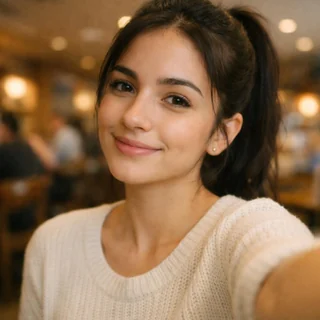
  3. Arm's-length selfie cropped at the chest, in front of a blurred café

    Chest-up selfies

    Your height, legs and shoes get invented and can change from look to look.

  4. Someone's photo without consent

    Use your own photo or one an adult has agreed to. No celebrities, film stills or screenshots.

Before you postAsk “Which outfit is your favorite?”Add the trend sound in the appLabel it as AI

What are the ceiling fan template's photo, length and credit specs?

The Generate button shows the exact credits for your settings before you start.

What are the ceiling fan template's photo, length and credit specs?
Photos
1 photo of one person
Photo files
PNG / JPG / WebP, up to 10 MB, short side at least 512px
Reference take
15s overhead take with 4 looks; it sets the room, camera, fan and timing
Video length
10–15s, default 15s
Aspect ratio
9:16 by default, or 3:4
Resolution
480p, 768p, 2K, or 4K; default 768p
Audio
Generated with the video; the trend's song isn't included
Outfits
First look from your photo; later looks styled for you
Credits
250–960 credits; 360 for 15s at 768p
Failed runs
Credits are refunded automatically

FAQ

Questions about the ceiling fan outfit change

What is the ceiling fan outfit change trend?+

It's a short vertical video shot straight down from the ceiling: a person lies on a rug under a spinning fan, and every time a blade sweeps across the lens they appear in a new outfit, usually three to five looks in about 15 seconds. It's also called the ceiling fan transition or the fan transition. The AI version took off on TikTok in late September 2026.

Is the ceiling fan transition real or AI?+

Both exist. The format started as filmed reels cut in an editor, but many of the ceiling fan videos shared since late September 2026 are AI-made. This page makes the AI version: tag it as AI-generated when you post, as TikTok and Instagram ask.

How do I do the ceiling fan trend without a ceiling fan?+

Upload one photo of yourself, check the price on the Generate button and generate. The overhead room, the fan and the blade timing come from the reference take, and each new outfit is styled for you, so you don't need a fan, a ladder, four outfits or anyone to film you.

Is it free, and how many credits does it cost?+

No. Each video costs 250–960 credits depending on length and resolution, 360 for the default 15-second 768p clip, and the Generate button shows the exact price before you start. New accounts get 10 free credits; a video needs at least 250. If a run fails, the credits are refunded automatically.

Can I choose my own outfits?+

Only the first one: the clothes in your photo are your first look. After that, each new outfit is picked to suit you and the room; you can't name brands, choose pieces or upload clothes, so it isn't a virtual try-on. To set every outfit yourself, use the AI Video Generator's reference mode with one image per outfit.

Does the ceiling fan outfit change work for men?+

Yes. The looks are styled for the person in the photo, including their gender, and the reference take on this page is menswear.

Can two people do the ceiling fan trend together?+

Not in this template. It has one person under the fan, so upload a photo of one person; a group photo leaves the model guessing who to keep.

What song is the ceiling fan trend?+

There is no official sound. Duran Duran's “Girls on Film” is a common pick, and many tutorials reuse the same original sound. Your video comes with audio generated alongside it, not the song. To use a trend sound, add it from the TikTok or Instagram music library when you post and turn the original audio down.

Why did my outfit change before the blade covered me?+

The model follows the reference take closely rather than frame for frame, so now and then a change lands before the blade covers you, or two outfits blend for a moment. Run it again; a sharp, full-body photo gives the model less to guess.

Why doesn't one of the looks look like me?+

From the ceiling your face is small in the frame, and the model redraws it in four outfits, so one look can drift. Side-on faces, dim light, sunglasses or heavy filters make it worse. Use a sharp, front-facing photo in even light and run it again.

Are “under the fan” and “fan transition” the same trend?+

Yes, they're other names for the ceiling fan transition. It isn't the 2023 Ceiling Challenge, where people dance to a phone stuck to the ceiling, and it isn't a ceiling fan Halloween costume.

Is this a CapCut template?+

No. A CapCut fan template adds the blade wipe to clips you film yourself, one per outfit. Here you upload one photo and the whole take is generated, new outfits included.

How long is the video, and what size?+

Choose 10–15 seconds (default 15), 9:16 portrait for TikTok and Reels or 3:4, at 480p, 768p, 2K, or 4K. Shorter videos squeeze the four looks closer together and may fit fewer of them.

Is this affiliated with TikTok, CapCut or the trend creators?+

No. It's an Oeneo AI template inspired by the trend. It isn't affiliated with or endorsed by TikTok, Instagram, CapCut or any creator named on this page.

Ceiling fan outfit change AI

Let the ceiling fan do the styling

One photo, four looks, a blade between each, all in one overhead take.